Joining a project
Joining is how a shared project reaches a device that does not have it yet — a new tablet on set, a producer's laptop, anyone the invite from Sharing a project was sent to.
Opening the joining screen
From the home screen's toolbar, choose Join a shared project…. Unlike opening a project, joining does not need one already on your device — that is the point of it — so it is reachable at all times from the home screen, not from inside a project you would need to have first.
The screen that opens is titled "Join a shared project", with two tabs: Scan (tablet) and Enter manually.
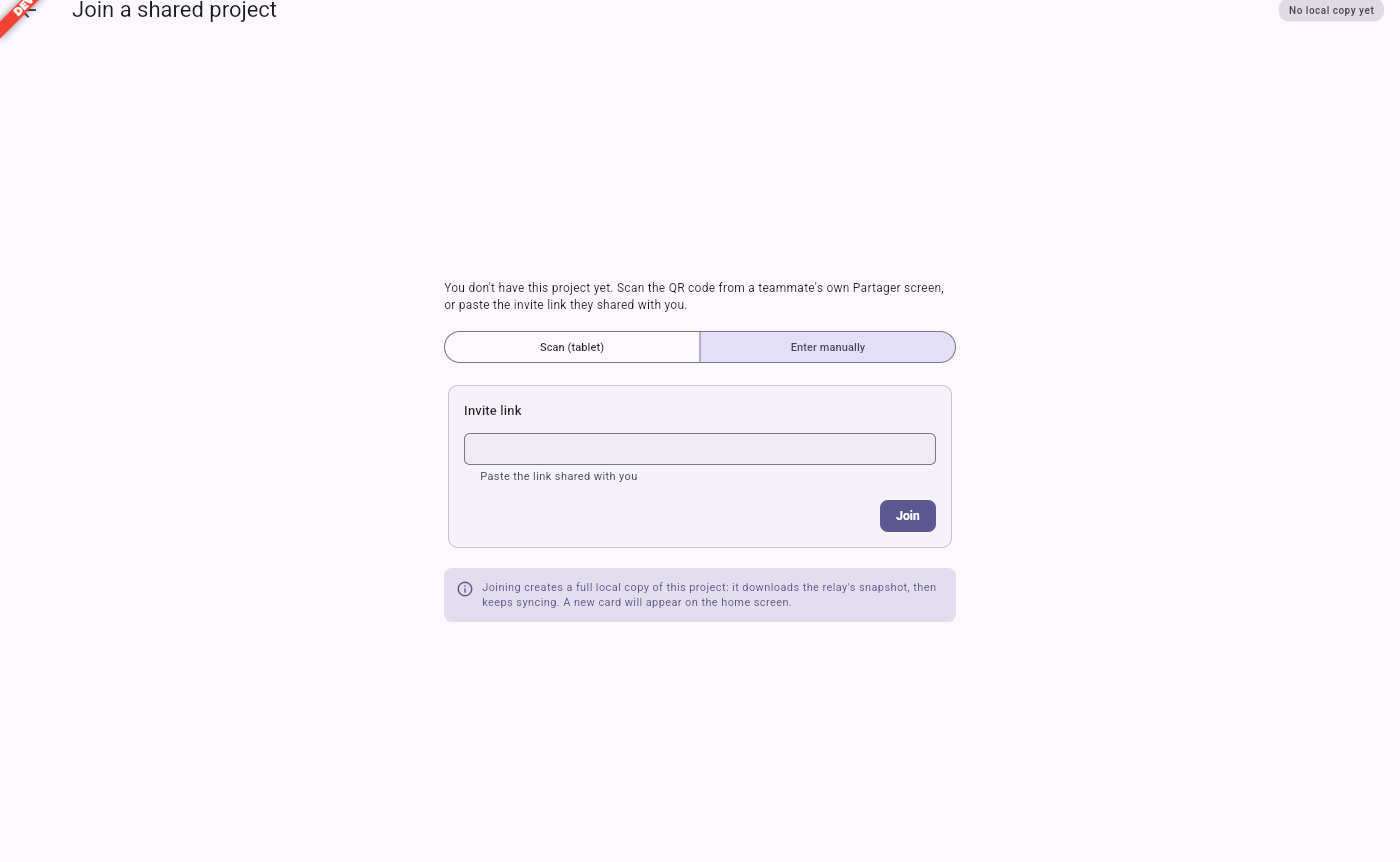
Scanning or pasting the invite
You need the invite someone shared with you, in whichever form it reached you:
- On a tablet or phone, the Scan (tablet) tab offers a camera scan: point the camera at the QR code shown on the sharing screen of the device that invited you.
- On desktop, use Enter manually and paste the Invite link you were sent into that field, then choose Join.
Either way resolves to the same invite; there is nothing else to configure. A banner on the screen reminds you what joining does: it creates a full local copy of the project by downloading the relay's snapshot, then keeps syncing, and a new card appears on the home screen once it is done.
What joining actually does
Confirming the invite:
- Downloads the project's current content from the relay named in the invite, into a fresh project file on your device.
- On desktop, you choose where to save that file, exactly as you would when creating a new project; on a tablet or phone, it is placed alongside your other projects automatically.
- Records the project's pairing, so your device is now syncing against the same relay as everyone else who joined it.
- Opens the project.
From here your device behaves like any other one holding the project: it has a full copy, works offline, and syncs its edits the moment it can reach the relay again — see How collaboration works for what that means day to day.
If you cannot reach the relay
Joining needs a working connection to the relay at the moment you join, since it has to download the project. If the relay is unreachable — no network on set, an address that changed — wait until you have a connection, or ask whoever is hosting to hand you a fresh invite if the relay itself has moved (see The on-set server).