Budget
What this mode is for
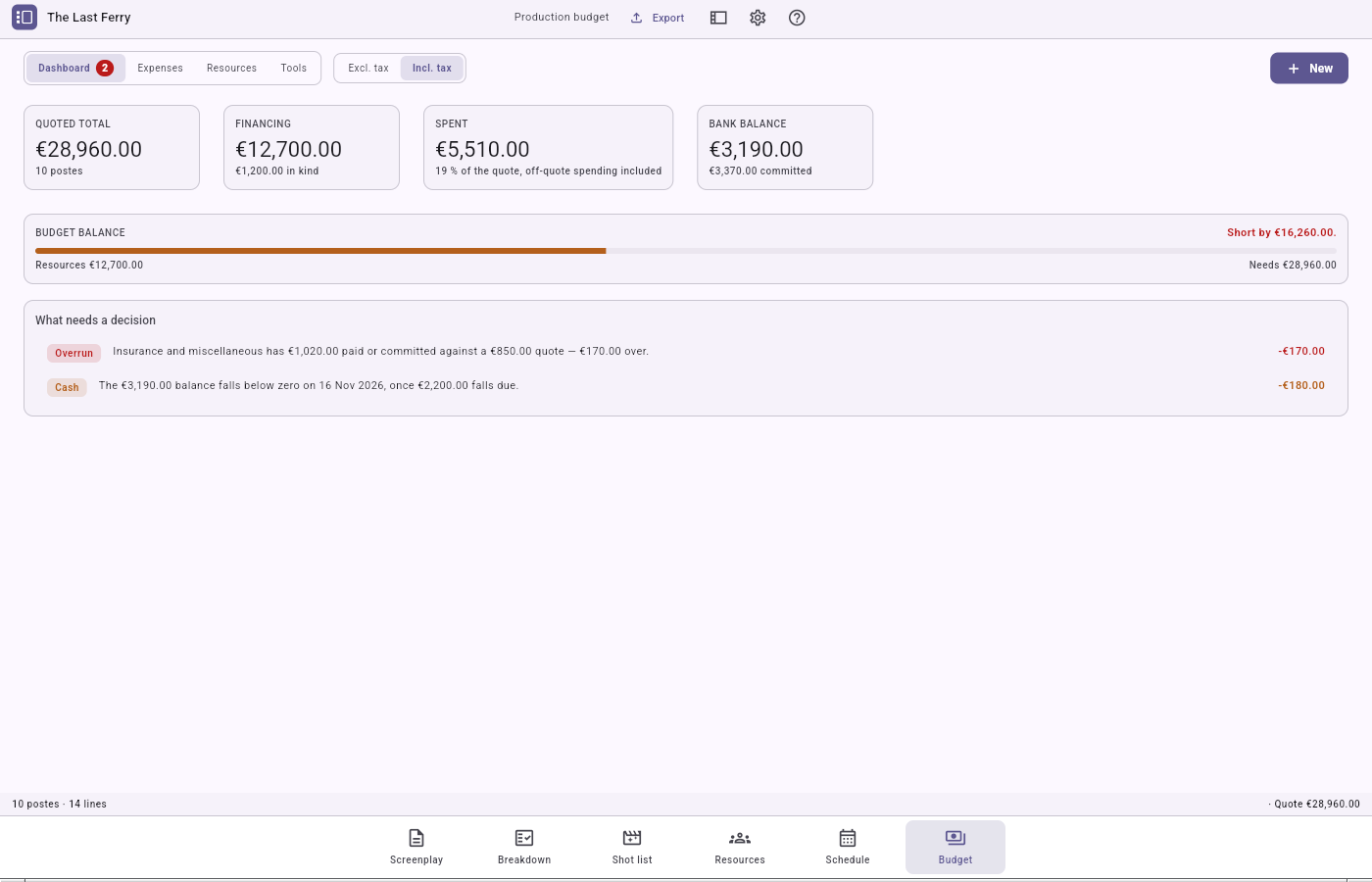
The Budget is where the production's money lives, from the first quote to the sharing of revenue. It serves two readers at once from the same figures: a commission or funder expecting formal paperwork, and a small crew keeping a plain account book. It holds four things side by side:
- the quote — your planned budget, laid out against the French CNC categories;
- the cash journal — every euro in or out of the account, plus what is owed but not yet paid;
- the financing plan — what pays for the film;
- the revenue sharing — once the film earns, who gets what.
The mode is organised into four tabs: Dashboard, Expenses, Resources and Tools (a drawer with three helpers: Cash flow, Régie, Sharing).
The money rule
Every amount is stored exactly as you typed it and is never quietly changed. A few visible consequences:
- Each amount remembers whether it was entered tax-inclusive (the default) or tax-exclusive, and which VAT rate applies. A header toggle flips the quote from one basis to the other.
- If no rate is set, the application leaves the derived figures blank rather than guess. It tells you "6 of 9 categories covered" instead of printing a wrong total.
- Money that has actually moved is always read tax-inclusive: a bank balance has only one honest reading.
The quote against the CNC nomenclature
The CNC nomenclature is the standard chart of accounts a French commission expects: ten top-level postes (budget headings), for example Transport, allowances, on-set logistics. The application creates them automatically the first time you open the budget. These ten headings are a starting point, not a cage: you rename, reorder, split or delete them like any other row.
To build a quote:
- go to the Expenses tab; add a poste (
+ Poste) or use the ten CNC ones; - select a poste and choose Add to create a line (a wording, a quantity, a unit price). A poste's total is the plain sum of its lines;
- if needed, From breakdown pulls elements from the script, each filed under its poste.
The cash journal and commitments
The cash journal (Tools › Cash flow) is your real account book: every entry, debit or credit, in the order the money moved, with a running balance and a voucher number (J-001, J-002…). Its balance is always the whole account's.
- Off-quote spending is named, not hidden: a receipt for something the CNC never anticipated appears in an Off quote row, so your spent total matches reality.
- A commitment is a debt: something ordered and owed but not yet paid. It settles itself the moment the payments naming it reach the amount owed — no "paid" flag to tick. Most of the time a line's button is simply Pay, followed by the total owed: the commitment is created invisibly behind the payment. You can also Commit this line… first, and pay in instalments.
A poste's cost report shows five readings: Quote, Committed, Paid, Estimate to complete and Final cost, with variance columns.
The financing plan and the régie
The Resources tab is what pays for the film. It groups three families: subsidies, contributions (cash or in-kind) and takings. A footer gauge shows coverage in two tones: what is promised and what has really arrived. An in-kind contribution is valued, not collected: its worth is recorded, but no cash is expected against it.
The Régie (Tools › Régie) is the catering-and-travel pass, read in two directions:
- left column, computed: what each day costs in meals and craft services, read straight off your schedule;
- right column, typed: the per-person account of defrayals (out-of-pocket reimbursements). Travel defrayals can be priced from a mileage scale.
A band offers to provision these computed figures into the quote, never overwriting a figure you edited by hand.
The revenue sharing
The Sharing view (Tools › Sharing) divides what the film earns. The rule is arithmetic: takings come in, reimbursable contributions come off the top, and only what is left is shared. Each participant's share is stated in permille (thousandths). The application splits as fairly as it can, leaves any leftover cent visible, and states the shares without policing them: if they do not add up to 100%, it shows you rather than blocking. You pay someone with Record a payout; "paid" is read off the journal, never a stored counter.
The four exports
From the Export control, each saved through a native dialog:
- Quote (PDF) — the whole CNC nomenclature, poste by poste. The only export that offers a VAT basis.
- Financing plan (PDF) — what pays for the film, in-kind contributions kept visibly apart.
- Cash journal (XLSX) — every entry in the order money moved, with its voucher number.
- Financial report (PDF) — the quote read against what is paid and committed, with the variance and an Off quote row.
Every honesty rule the screens keep, the documents keep: an incomplete total prints a coverage note, an unreadable balance prints a blank cell, and an export that cannot be produced (no poste, no resource, no entry) is greyed with the reason shown.