Resources
The Resources mode answers the question "who shoots the film, where, and with what?" It is organised into four tabs in the left panel — People, Roles (the cast), Locations and Elements. Selecting a record opens its editable sheet in the centre (which is itself the inspector), with a shared Versions tab on the right.
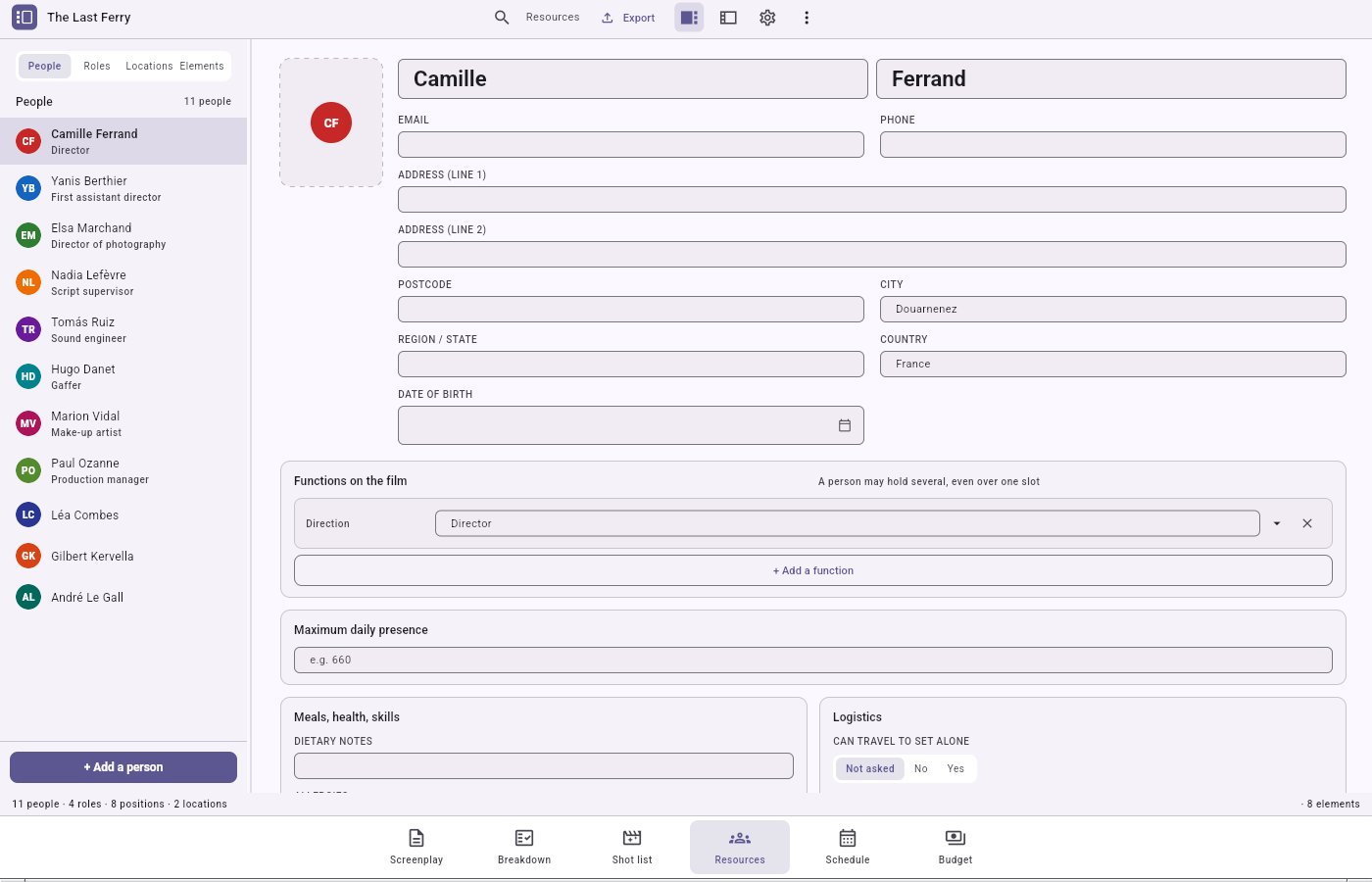
The address book (People)
People is your master contact list. A person appears only once, whatever number of hats they wear: the same person can be a cast role, a crew position and a location's owner, without their name ever being copied.
- Photo: the header avatar is a slot, not a field. A menu lets you reference a photo, then choose a fallback colour. A referenced photo shows up by itself in the list and on the cast avatar.
- Editing: free-text fields save themselves, after a short delay. A badly filled field (an invalid email, say) is flagged without refusing what you typed.
- Deleting: the sheet ends with Delete this person, which asks first.
The cast (Roles)
Roles is the cast list. Roles are reconciled from the screenplay rather than typed: every character in the script — whether cued in dialogue or only named in capitals in an action line — gets a role. You can also add them by hand.
Casting a role means linking it to a person (never copying a name). You can do it directly from the role header's picker, or go through candidacies:
- The role sheet lists who was seen for the part. Each candidacy carries a status, an audition date, private notes, and the casting director's ranking.
- Eight statuses: spotted, to meet, seen, shortlisted, retained, not retained, declined, unavailable. The order is a reading convenience, not a workflow the app enforces.
- Retaining a candidacy casts the role and automatically turns every other still-running candidacy to "not retained". The retained candidacy is pinned to the top.
A role's wardrobe (what a role wears, carries, is made up with) is added from the role sheet, drawn from the same Elements catalogue. Deleting a role never deletes the element: a coat outlives the character who wore it.
Locations and their sets
A location holds one or more sets; the set is what belongs to the location. A set's location is chosen when the set is created and changed only by moving the set to another location — a set filed under the wrong place is repaired, not deleted and retyped. Scenes link to sets. A set's code (A, B… AA) is minted by the application, numbered across the whole project, and never typed.
The elements catalogue
An element is anything that must be present on a shooting day and is not a person: props, costumes, vehicles, animals… all in one catalogue, with a category and a free sub-category. The same tracking columns apply to everything: owner, who brings it, secured, ready, returned, and where. Its code (for example PRP-3) is minted by the application and rewritten if you change its category.
Photos and documents
Photos and documents are referenced by their path, never embedded. A record simply points at a file; a missing file is a normal, expected situation, not an error.
Confirmations
Every delete on a sheet — person, role, set, element — and Remove this candidate ask first, through a dialog whose wording varies with the action.
The two documents
- Workbook (XLSX) with four sheets: people, roles, locations, elements.
- Contact list (PDF) — the whole crew and cast on one circulated sheet, grouped by department. There is deliberately no postal address, since this sheet circulates to everybody.
A search in the toolbar filters the active tab's list, ignoring diacritics ("lea" finds "Léa").